Sarpexis Crypto Wallet
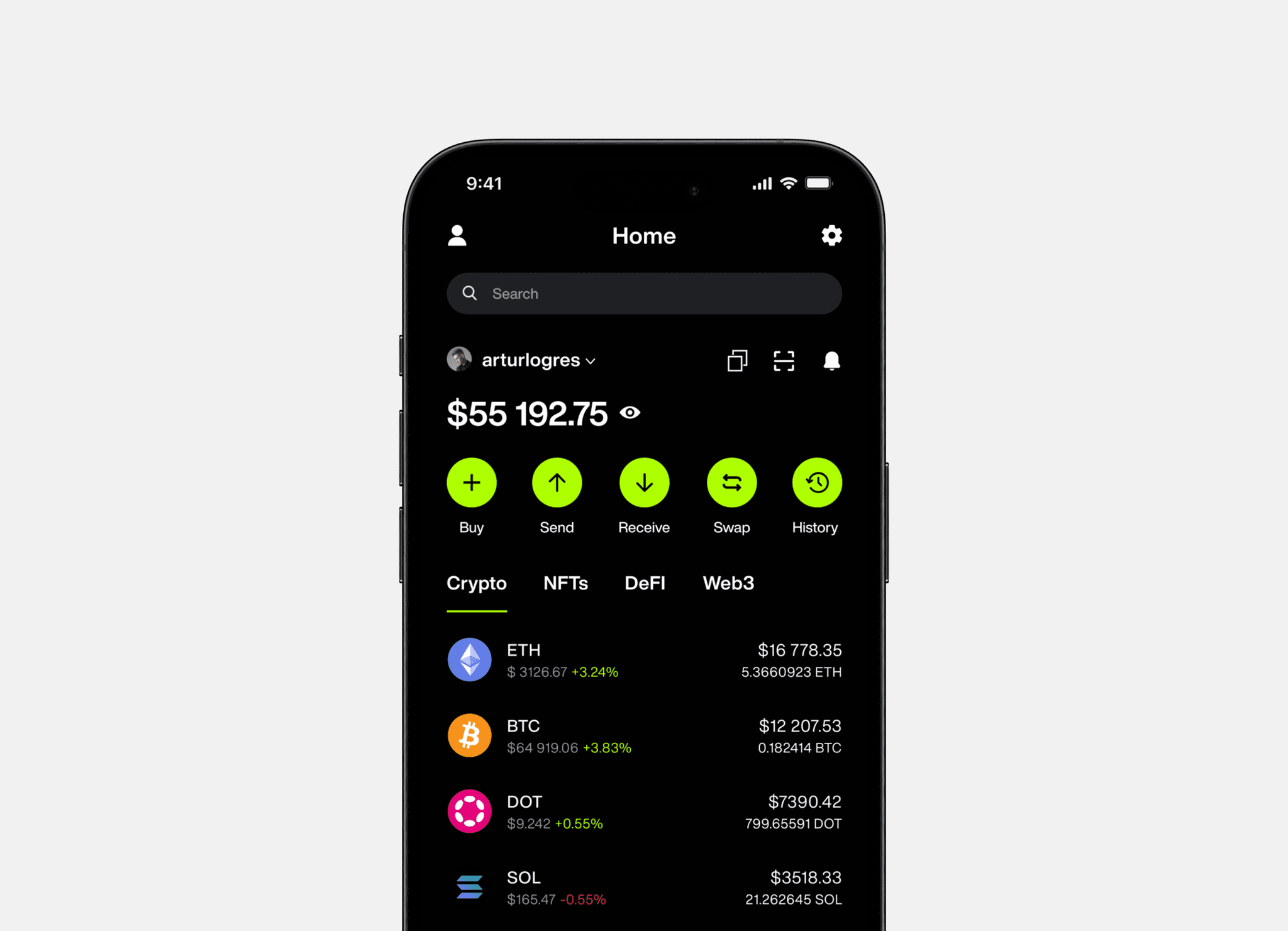
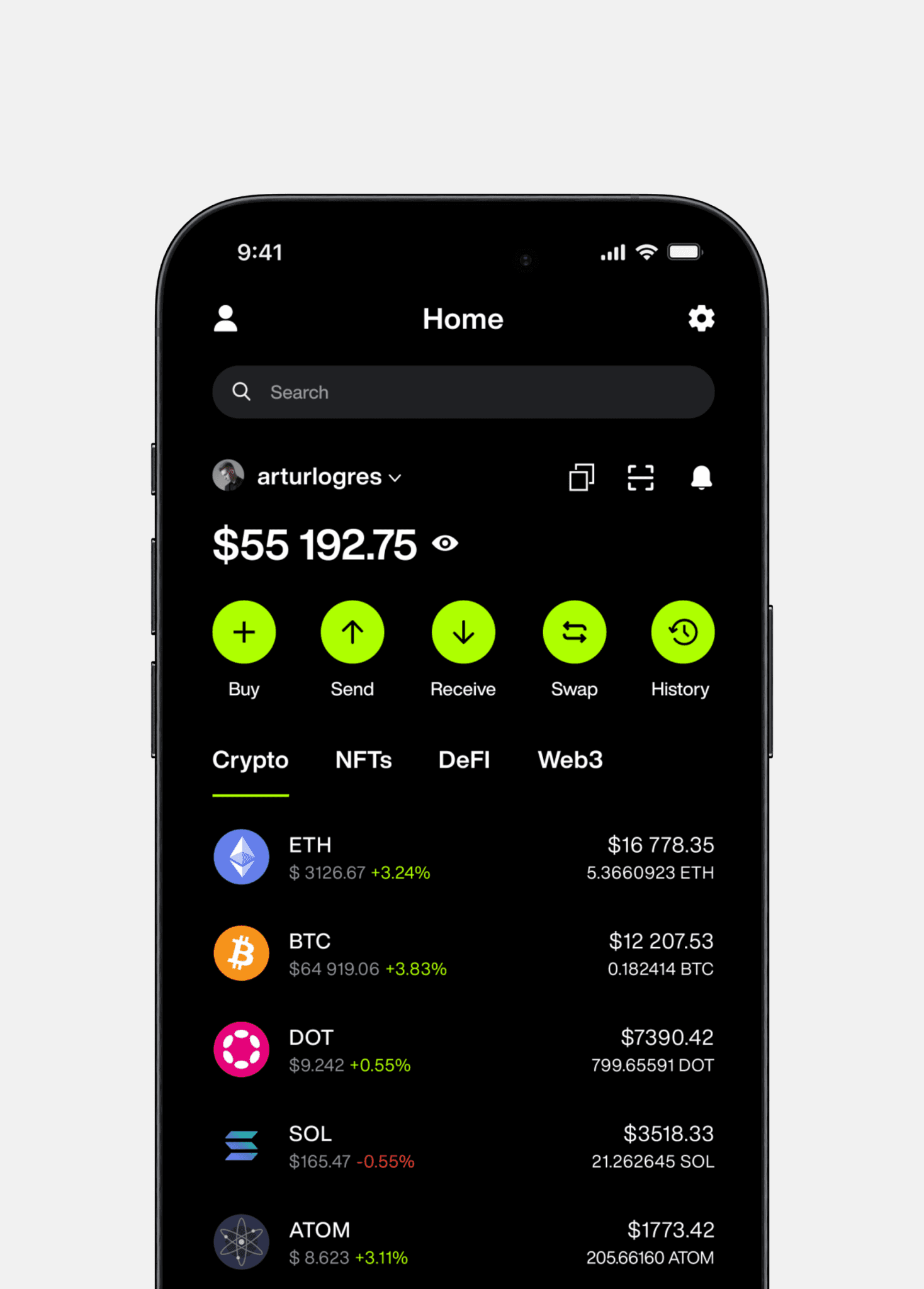
Sarpexis Crypto Wallet is a universal crypto wallet for secure management of cryptocurrencies, NFTs and DeFi assets. With our intuitive interface and integration with Web3 technologies, you can easily manage your digital assets and interact with modern decentralized applications.
Working with
Founder, Design team
Product design
Industries
Crypto
Date
August 2024
Task:
My main task is to create an application that is both intuitive for beginners and powerful enough for experienced users. In the crypto wallet market, we see many products with overloaded interfaces that are difficult to understand and use. This discourages new users and creates barriers to effective management of digital assets even for those who have been in the crypto industry for a long time.
Goal:
The application should be simple and understandable for beginners, but at the same time provide flexibility and powerful tools for advanced users. Create a product in such a way that anyone, regardless of level and skills, can quickly master and confidently use all the functions of our application.
It is important not only to include features such as staking, NFT management, access to DeFi and integration with Web3 technologies in the application, but also to make them easily accessible and understandable. We must create an ecosystem where users can manage all their assets in one place, without switching between different applications.
Security is the foundation of any financial application, especially a crypto wallet. Our goal is to create an environment where users can be confident that their assets and data are secure, but security should not make the application more difficult to use.
Research:
When I started developing this product, I had to overcome many obstacles, because at the very beginning I had only a basic concept, functional requirements, ideas and hypotheses that I had yet to test. My main responsibility was to turn these concepts into a technically sound plan, taking into account all potential risks, available technologies, and user and business needs.
To properly focus on key features, I conducted a series of studies, created personas, conducted interviews, used various methods such as AEIOU and empathy map, applied JTBD and conducted a detailed competitor analysis and identified the main needs, problems and expectations of users in addition to the advantages and disadvantages of each of the existing products. Here are some of the main conclusions I came to in the end:
We have to take into account that our users come with different experiences and expectations. Beginners value simplicity and accessibility, while advanced users are looking for powerful tools and flexibility. The challenge is to find a balance and make the interface adaptive so that everyone can find the tools they need.
The app should offer all the necessary functions in one place. This will not only improve the user experience, but also increase their loyalty, as they will be able to manage all their digital assets without having to look for third-party solutions.
Instead of overloading the app with instructions and tutorials, our goal is to make it intuitive at first glance. A simple and clear interface, minimalist navigation, and clear interactions will allow users to feel confident and comfortable, without having to study complex manuals or spend time on training.
App Architecture:
After the exploration phase, I moved on to designing the architecture of the app itself to understand all the scenarios and integrate them into the full app.
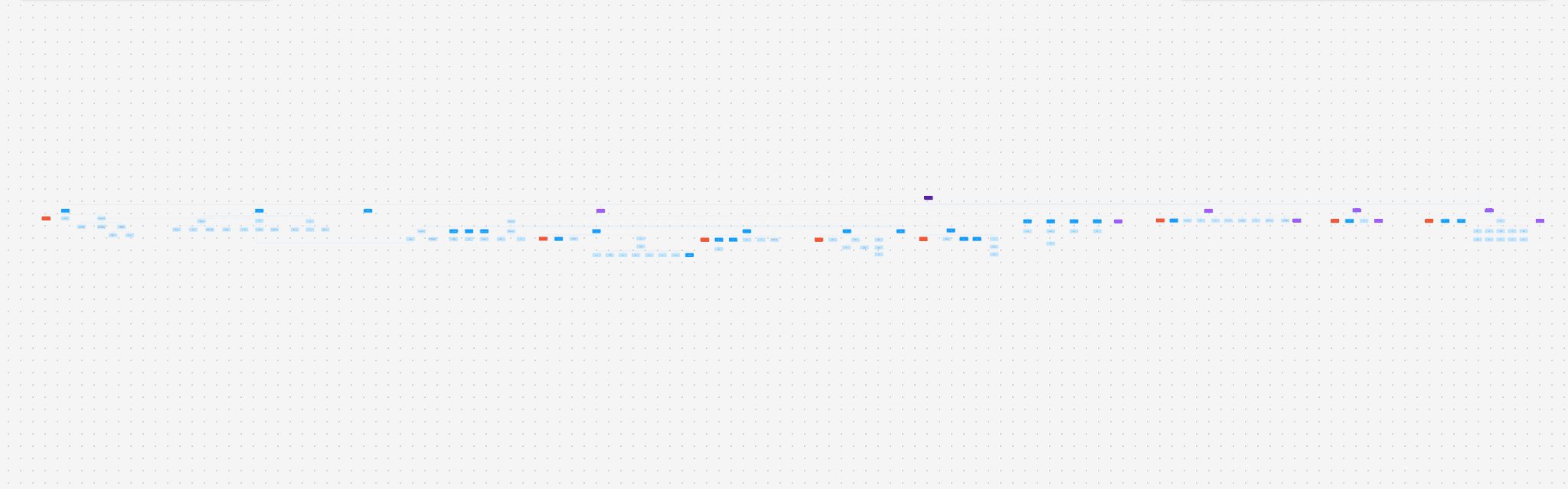
Application architecture
Registration form:
Problem:
Many users face a lengthy registration process, where they are required to fill in a large number of fields, collecting their personal data.
Task:
Collect all necessary information from users, develop a clear and convenient interface to make registration convenient and understandable, add additional types of wallet protection, as well as tips to make registration faster and more understandable
Solution:
I divided the entire registration into five stages: Creating a username, Creating a password, Confirming the regulations, Generating a seed phrase and Additional security measures, with the development of all error scenarios and additional tips in the upper right corner of the screen to make it structured and understandable for the user
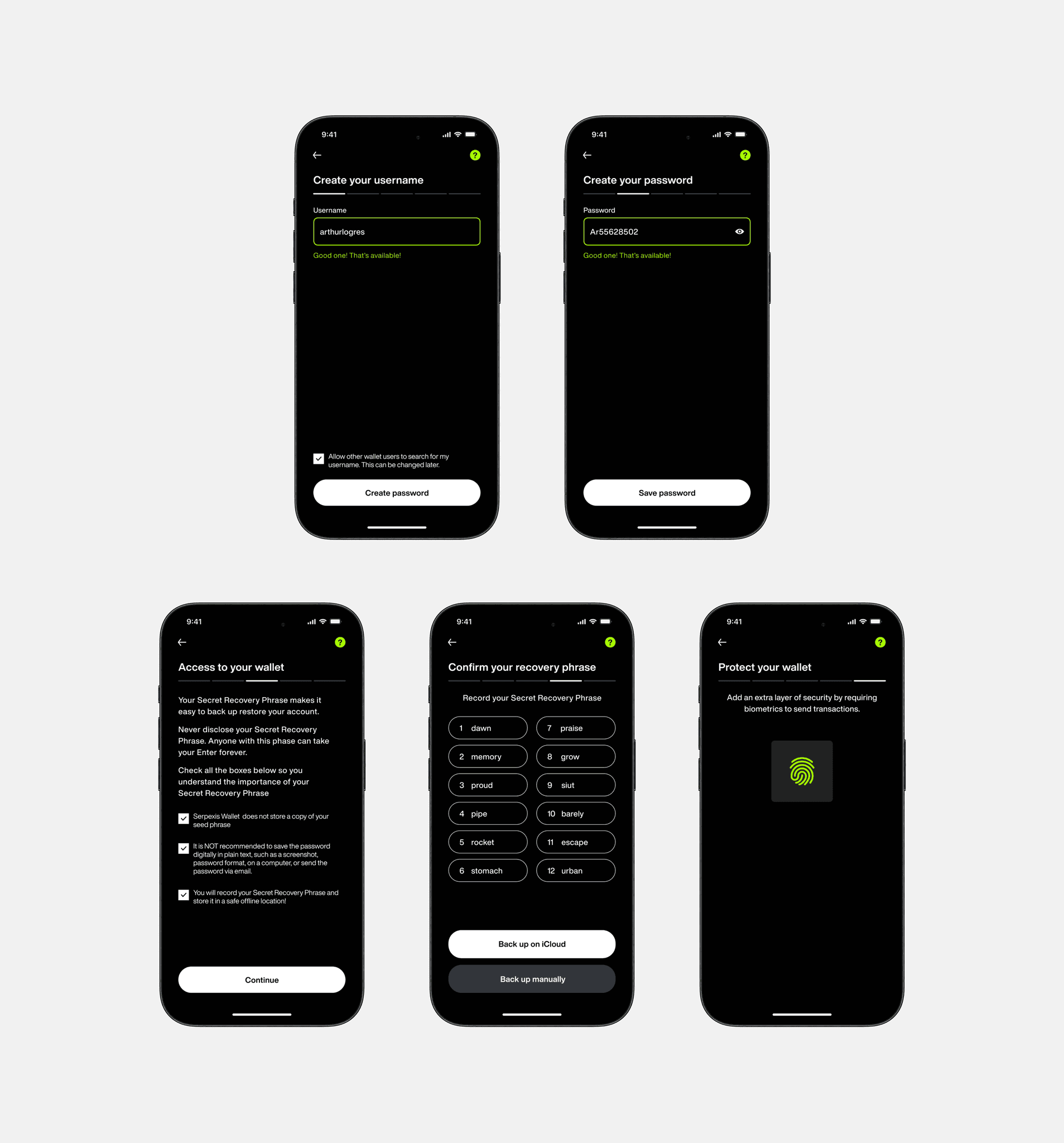
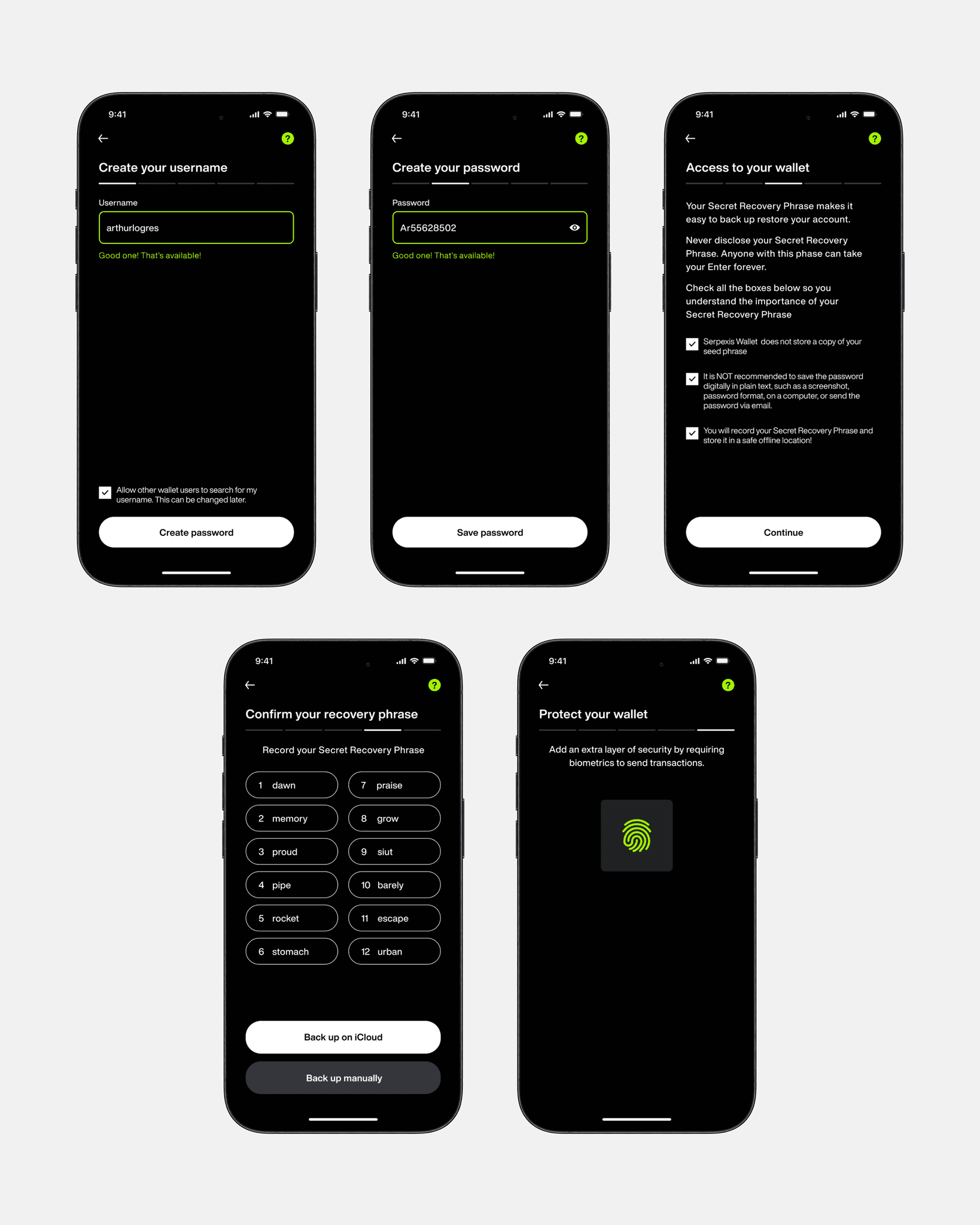
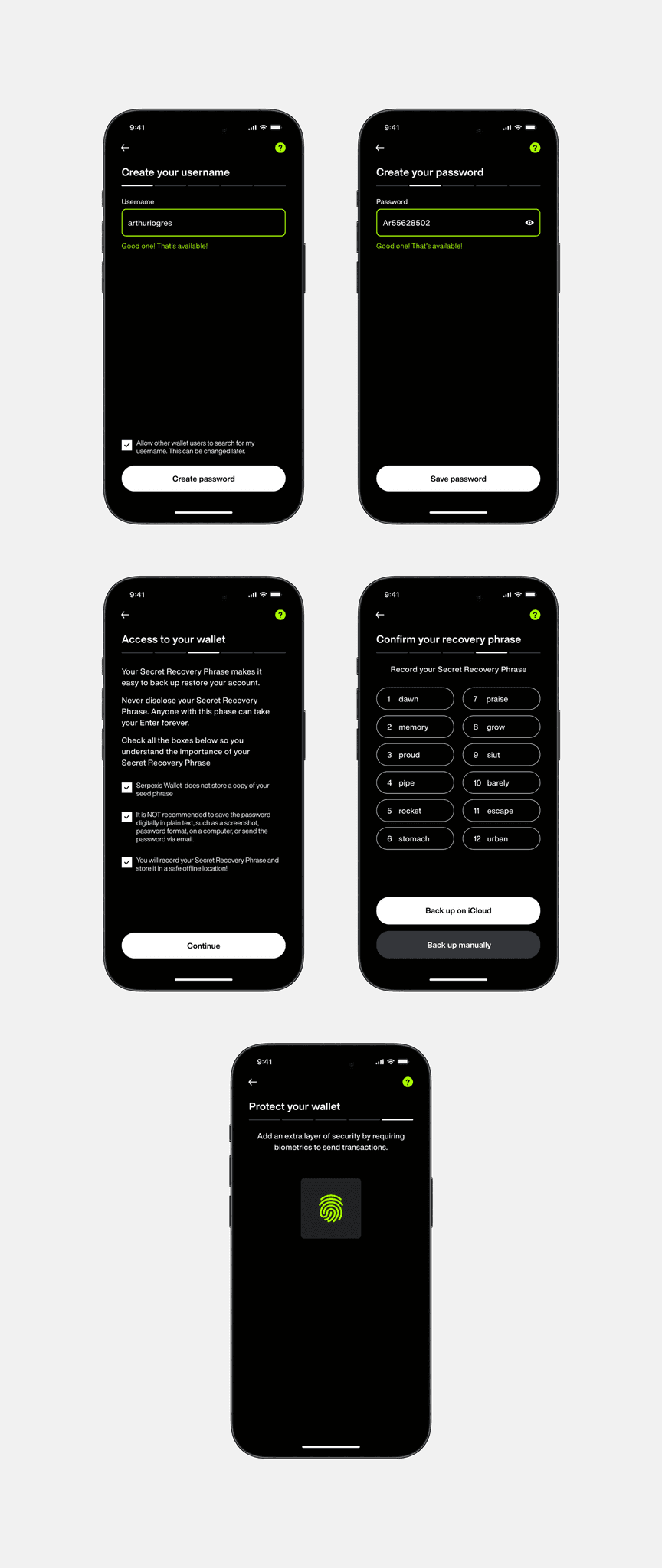
All stages of user registration
Main screens:
Problem:
Many users would like to participate in the DeFi, NFT, and Web3 ecosystems, but may face problems because their current wallets are either difficult to use (many features are difficult to find as they are located on different screens and sometimes in different areas of the app) or do not support these features. As a result, users are forced to switch between multiple crypto wallets, which creates inconvenience and increases the risk of errors.
Solution:
I developed and integrated functionality into our wallet that allows users to easily and naturally interact with these ecosystems. And also moved them all to the first screen of the application, making them tabs so that the user can easily navigate between them, breaking the balance section into additional elements so that the user can quickly navigate through all the additional screens, without wasting extra time searching for them throughout the crypto wallet.
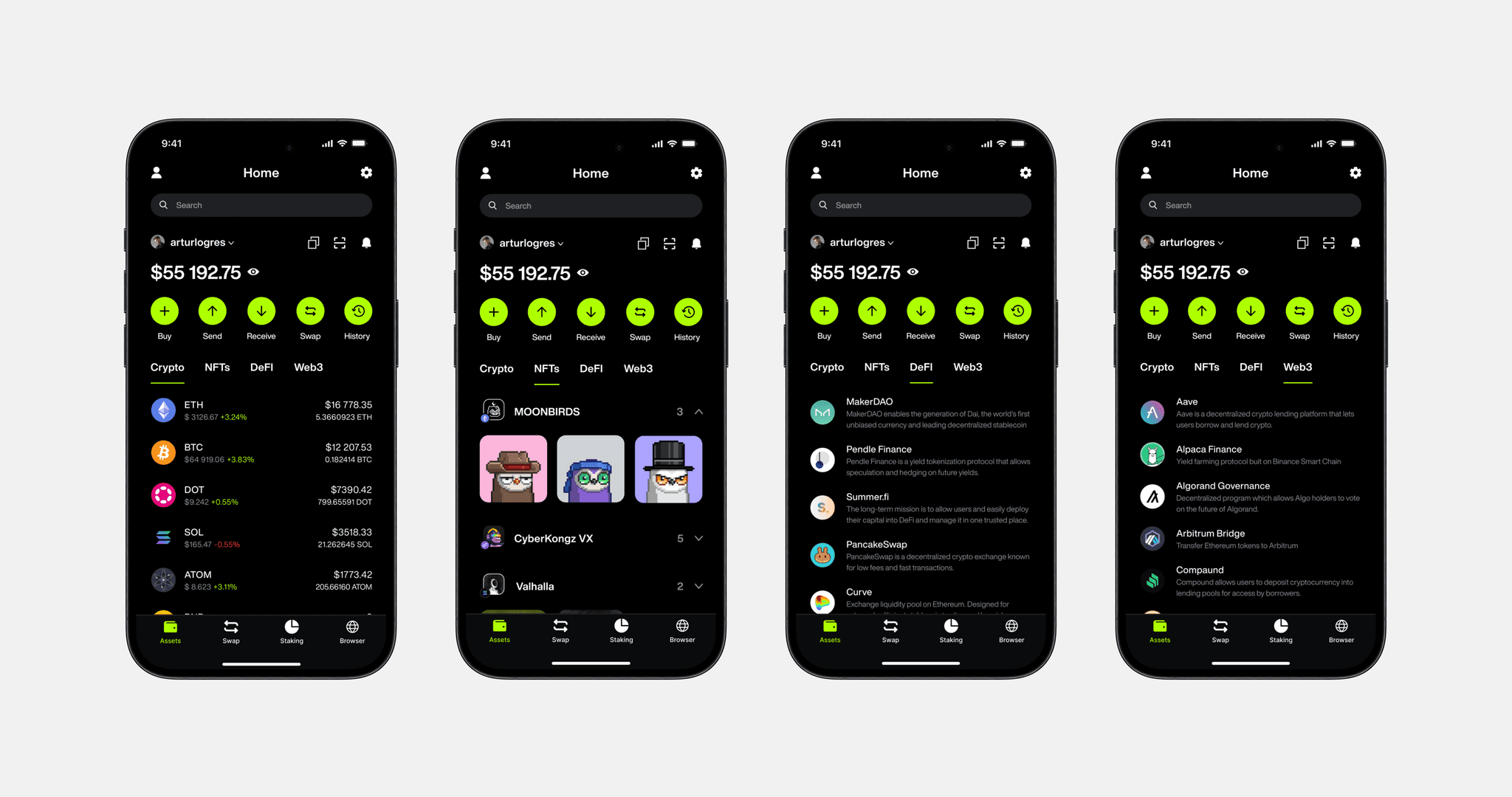
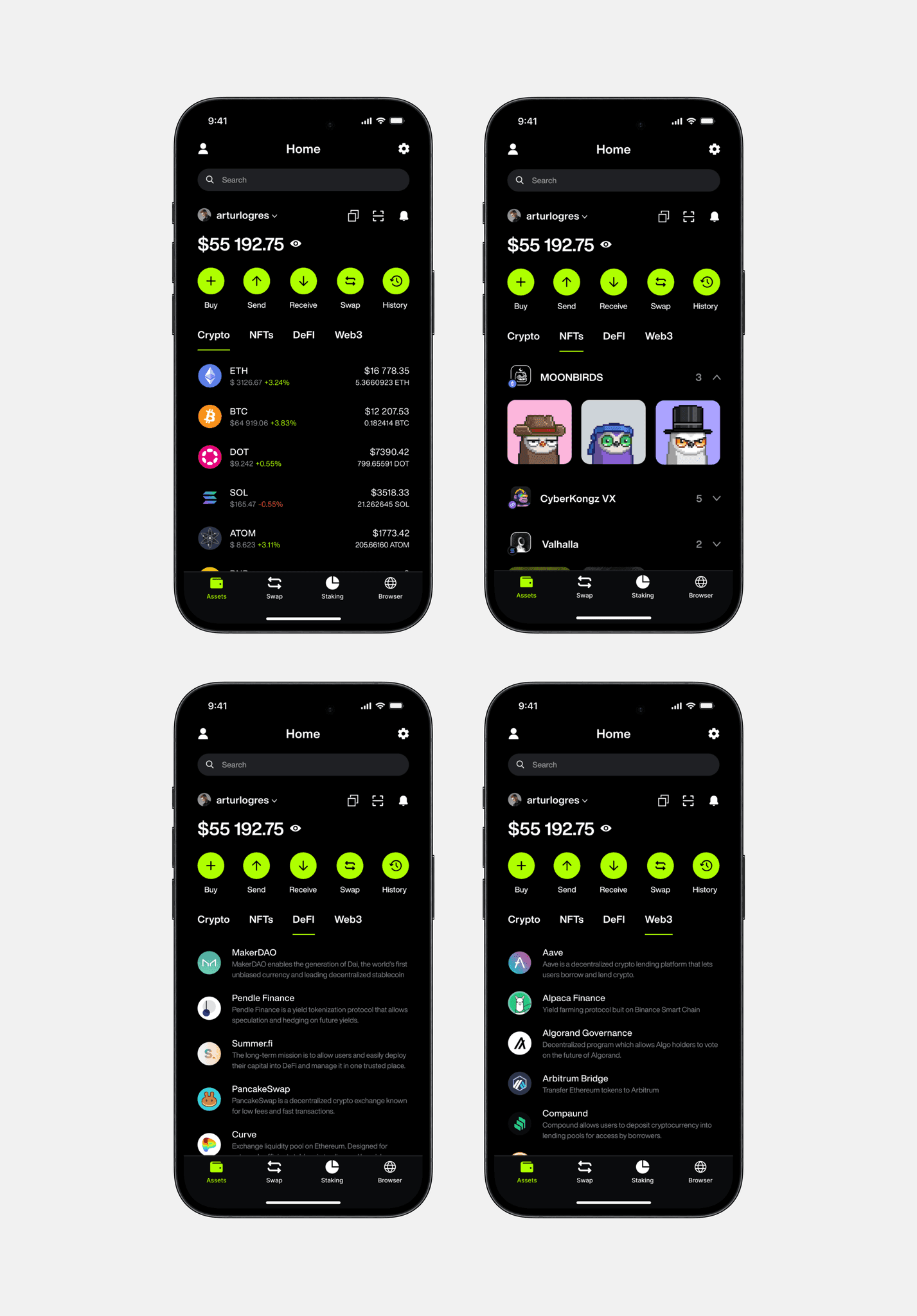
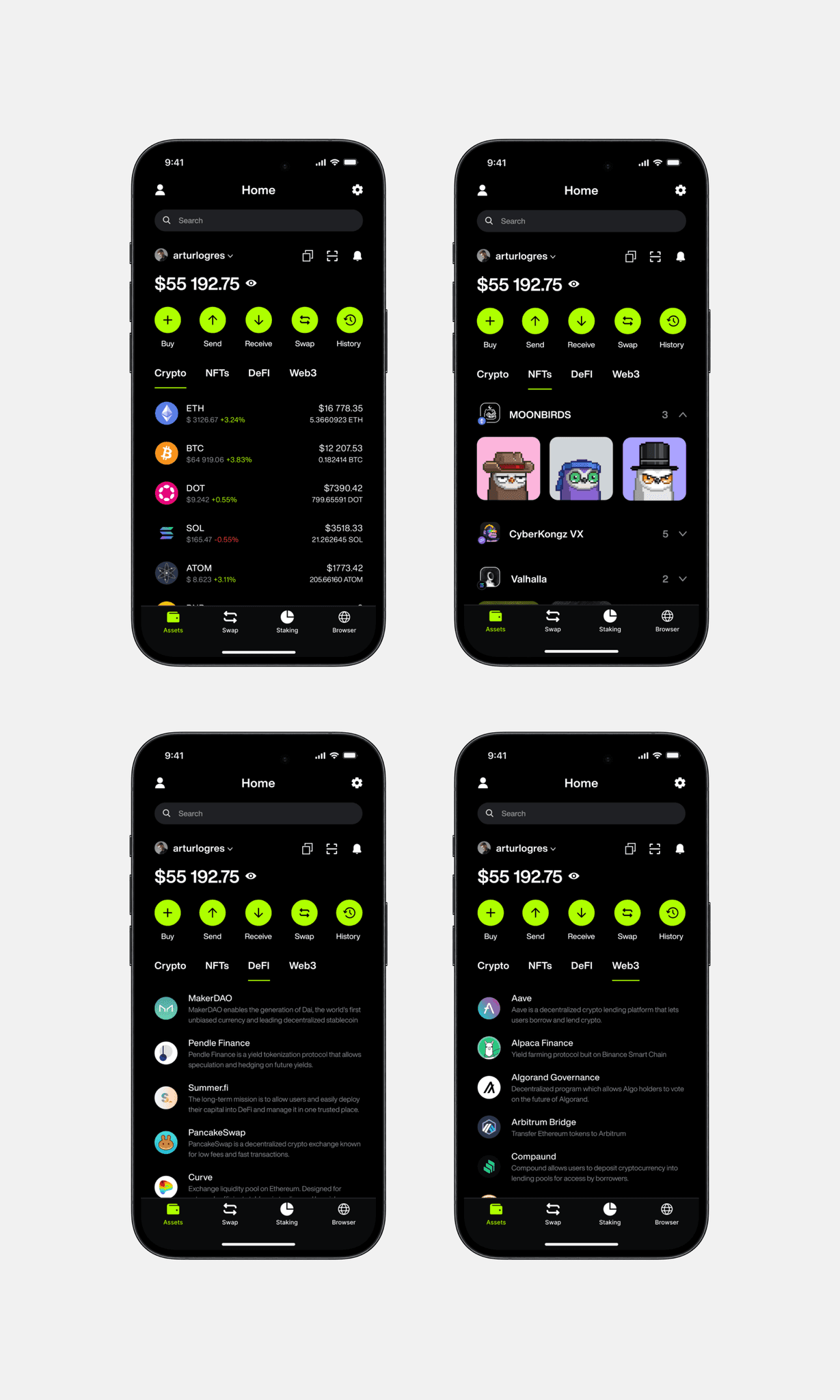
Main screens of the application
Swap:
Problem:
The process of exchanging cryptocurrencies often causes difficulties for users due to the complexity of calculations and the need to manually enter values. This led to slow transactions and could cause confusion, especially when you need to make an exchange quickly.
Solution:
Users enter the amount of coins and it is automatically converted into the equivalent in dollars. This allows you to immediately see how much the exchange will cost, without the need for manual calculations.
For convenience, I added the ability to swap the number of coins and dollars with one click to instantly see the rate in the opposite direction. This makes it easier to understand and compare values.
At the bottom of the interface are the Min/Half/Max buttons, which allow users to instantly select the minimum, half, or maximum amount of cryptocurrency to exchange. This allows you to quickly and accurately make exchanges without even entering data manually.
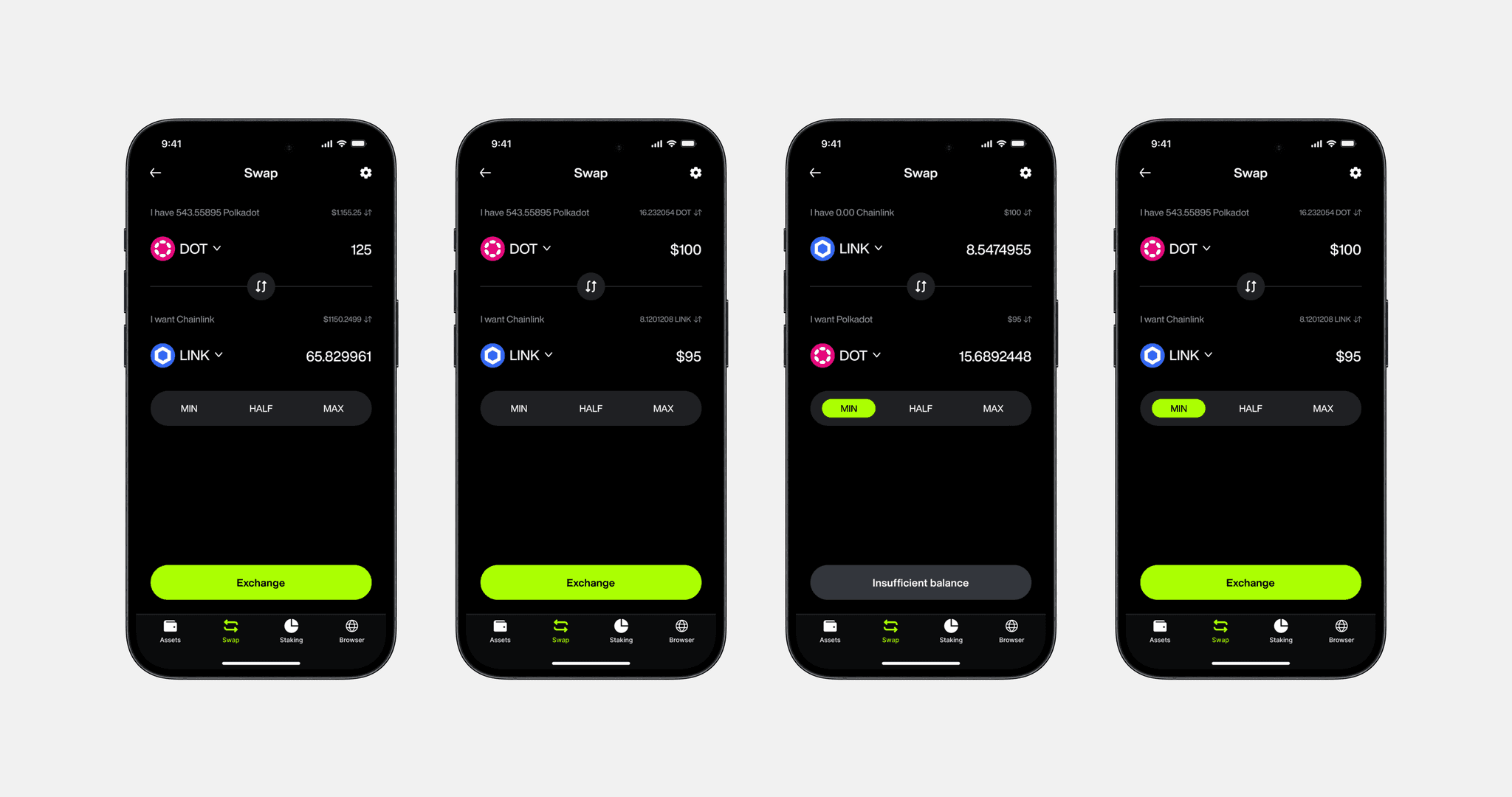
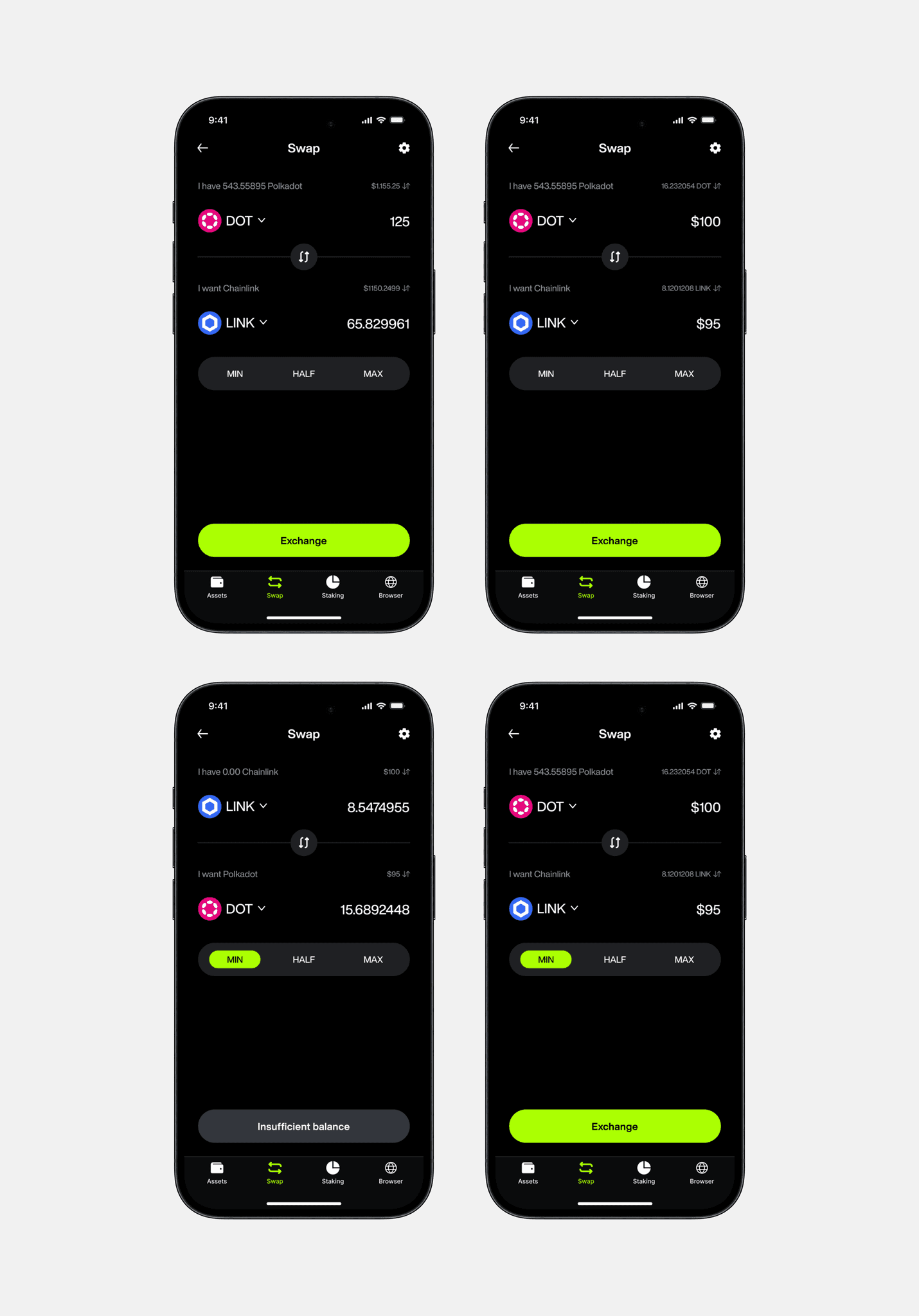
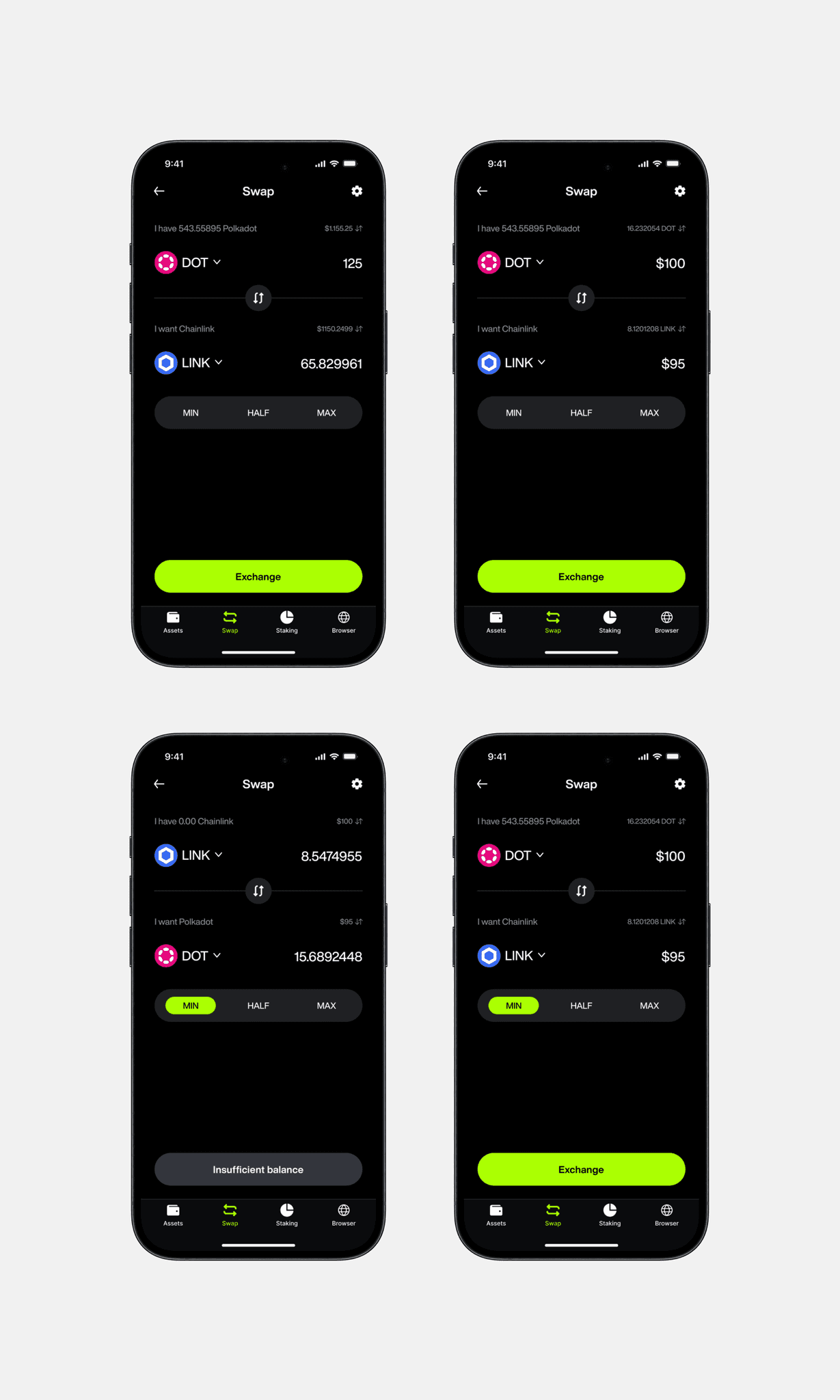
Examples of screens for transferring money and crypto
Search:
Problem:
Users may have had difficulty quickly finding the desired cryptocurrency and network due to the large number of options, which could cause inconvenience and loss of time.
Solution:
I developed a search that allows users to quickly find the cryptocurrency they need by dividing the networks into categories, allowing users to navigate faster and save their time.
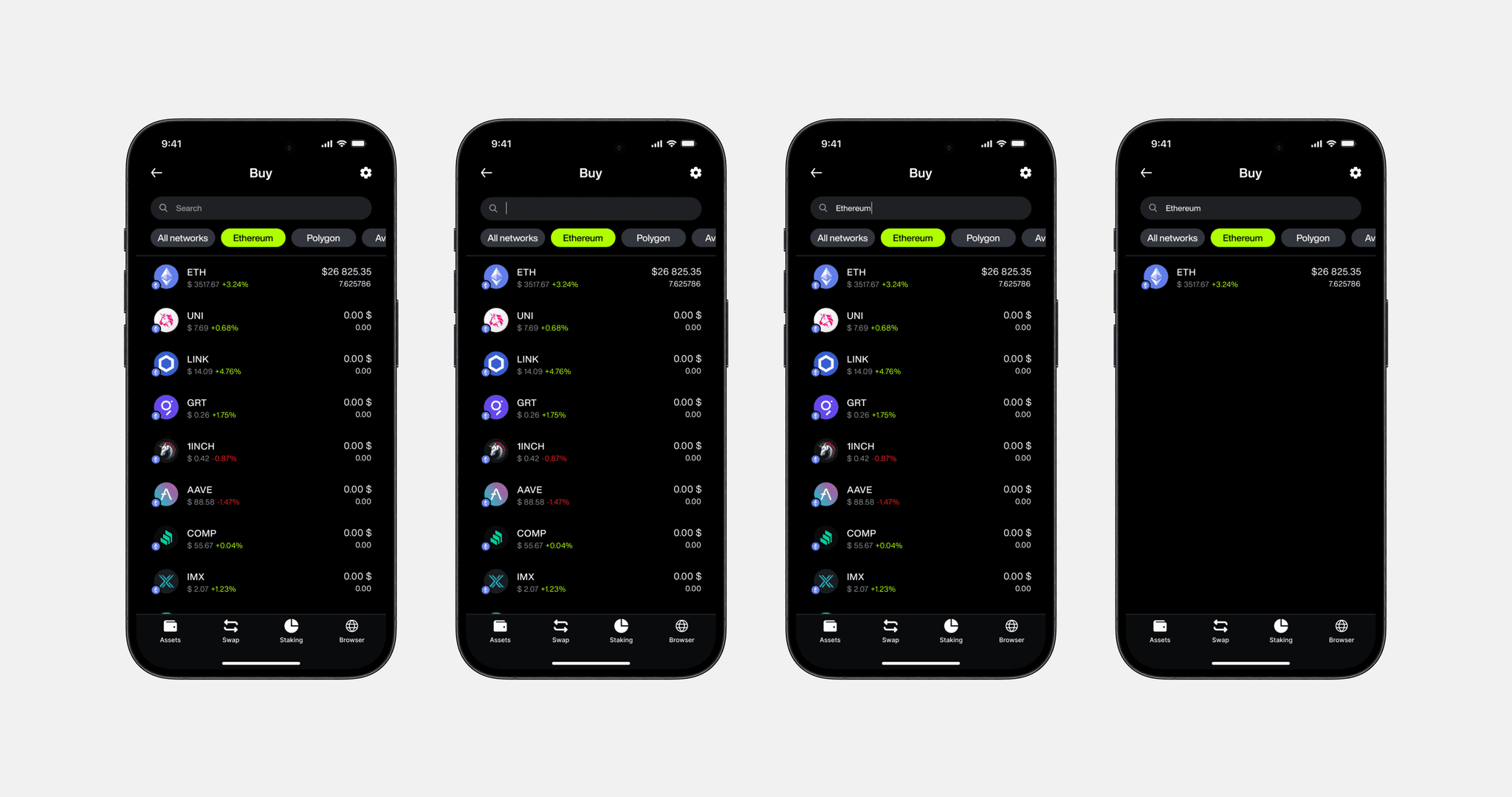
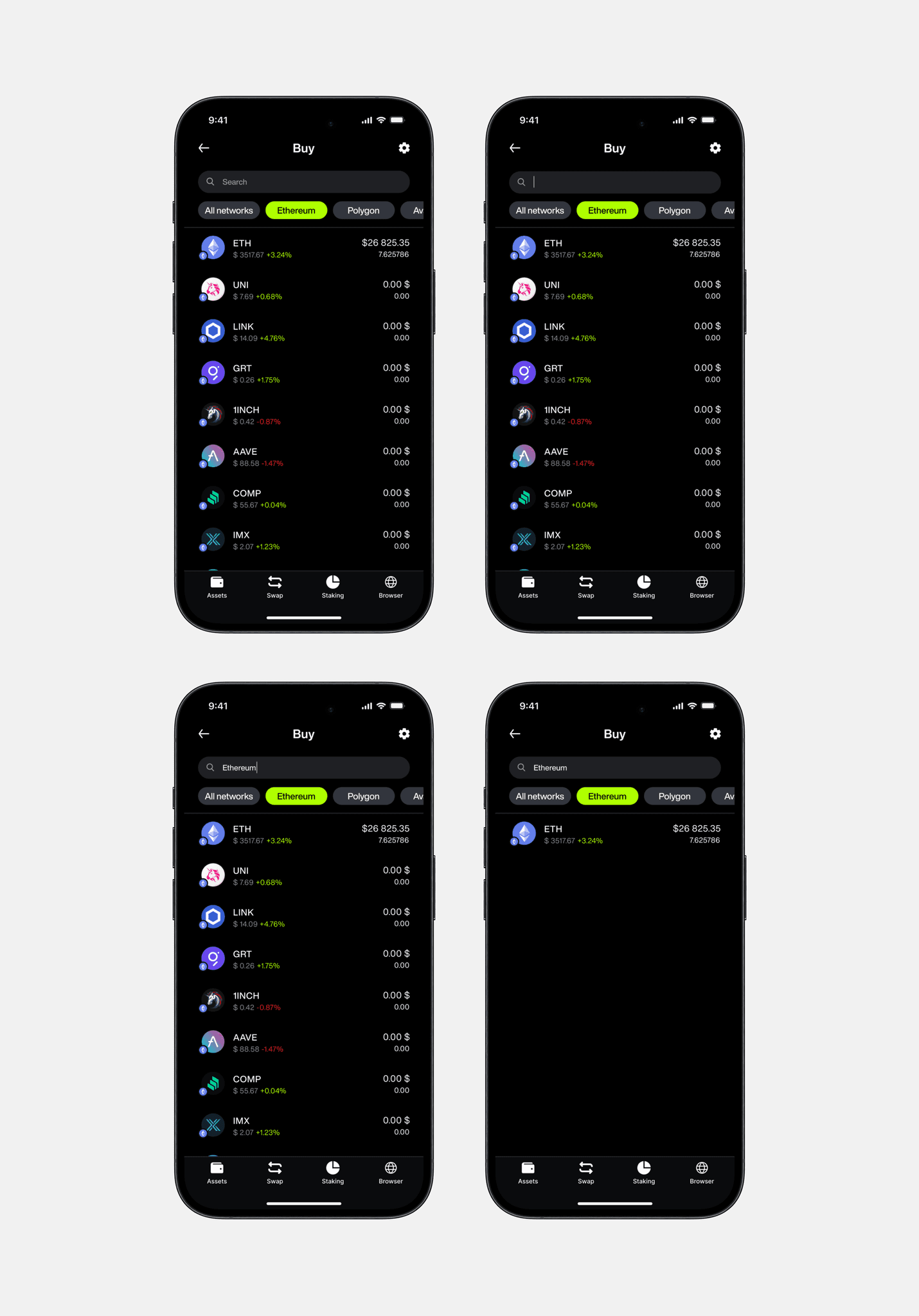
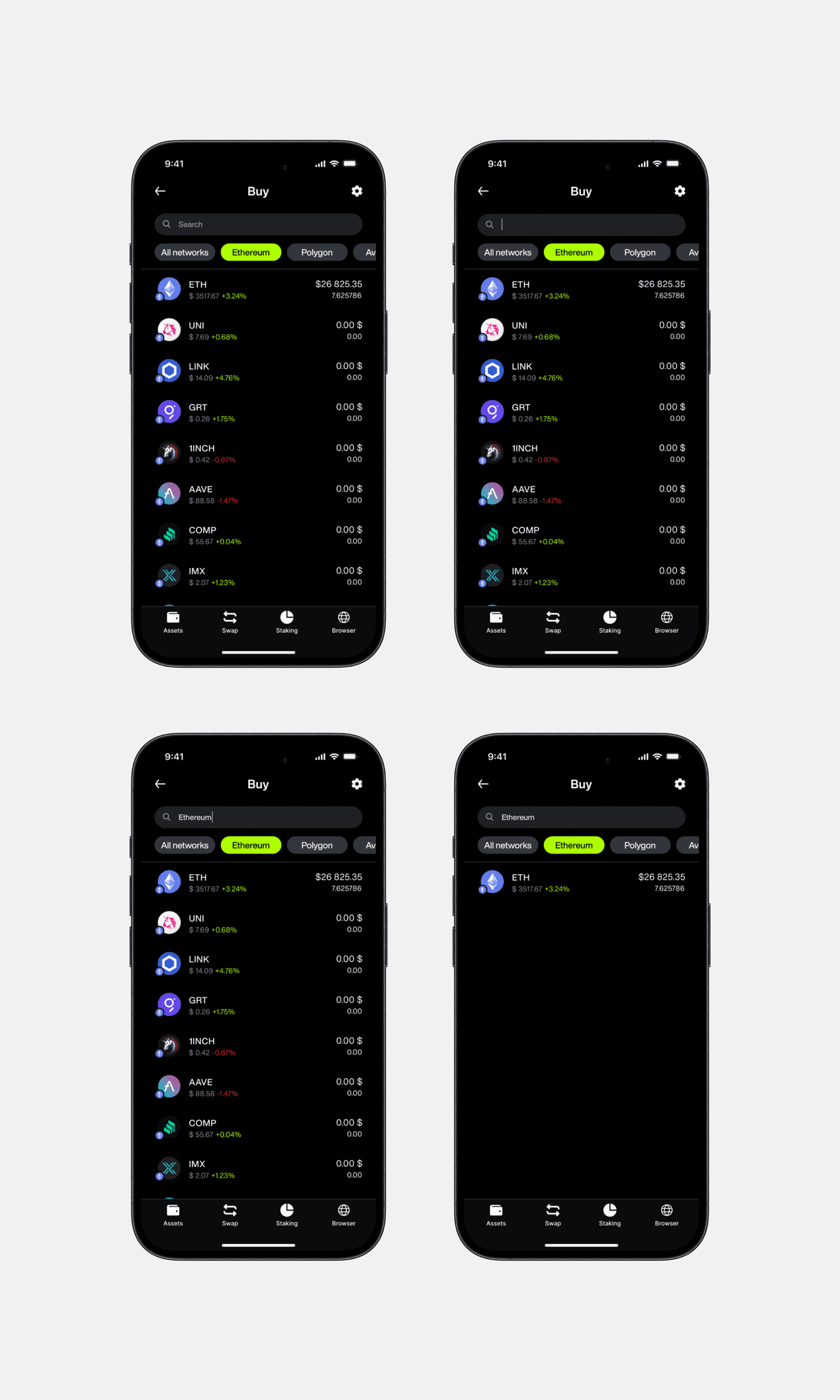
Search for cryptocurrencies in the application
Transfers:
Problem:
Users often experienced stress and inconvenience due to the complexity and slow speed of the process of transferring money or crypto.
Solution:
A search function was implemented to allow users to quickly find recipients by name or other data, while QR code scanning was added to reduce data entry time and minimize errors, both of which simplify and speed up the transfer process.
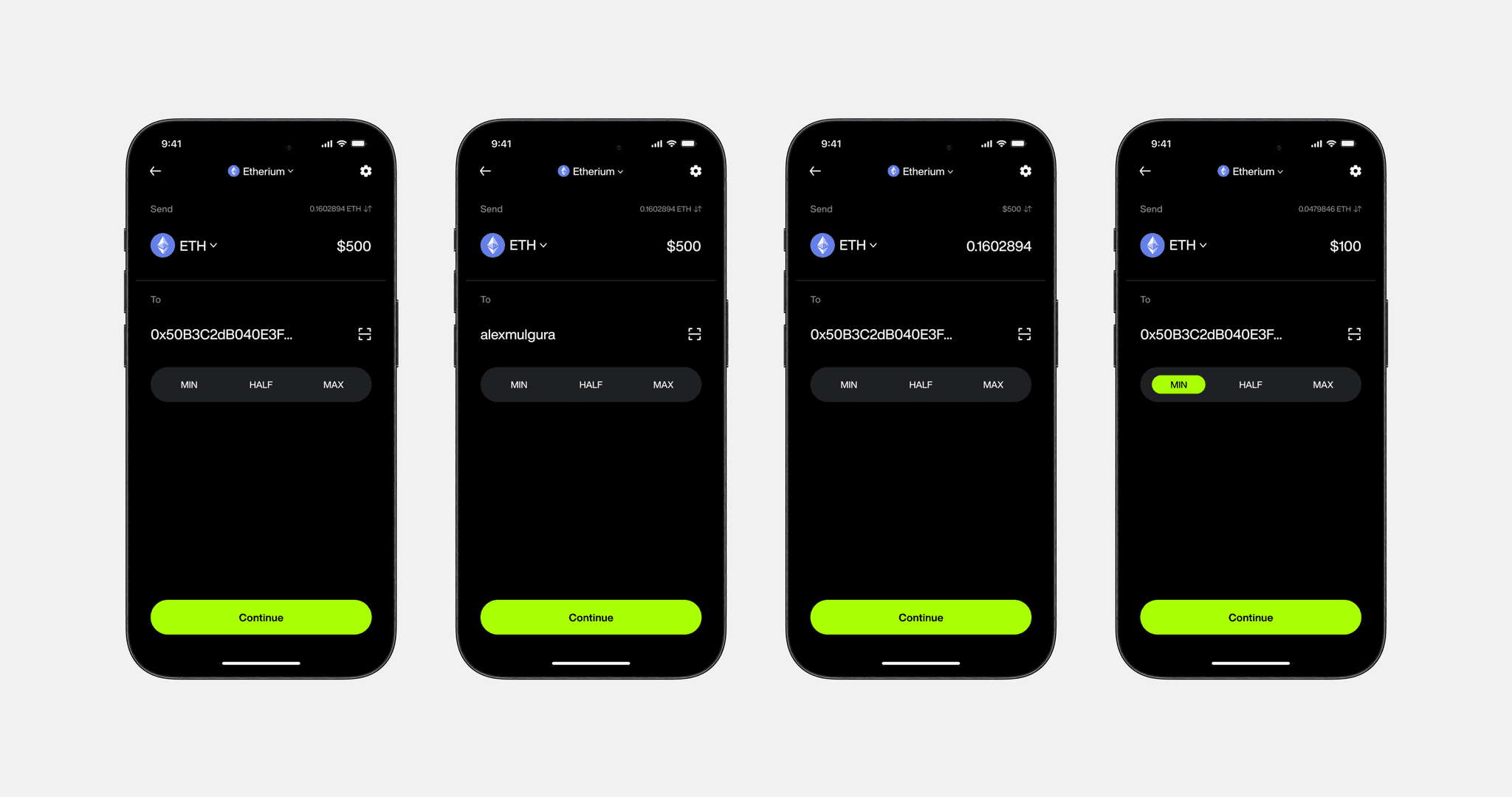
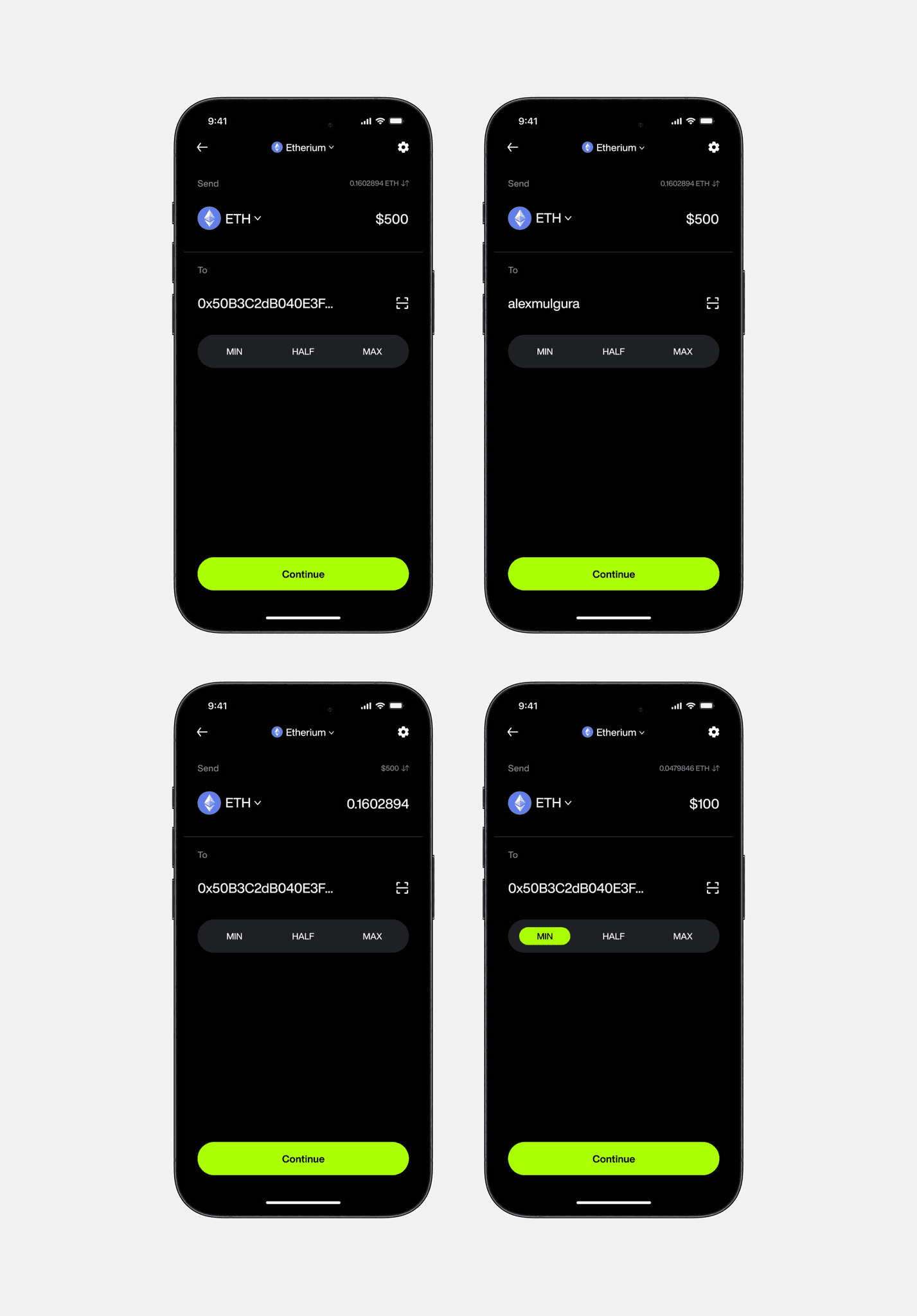
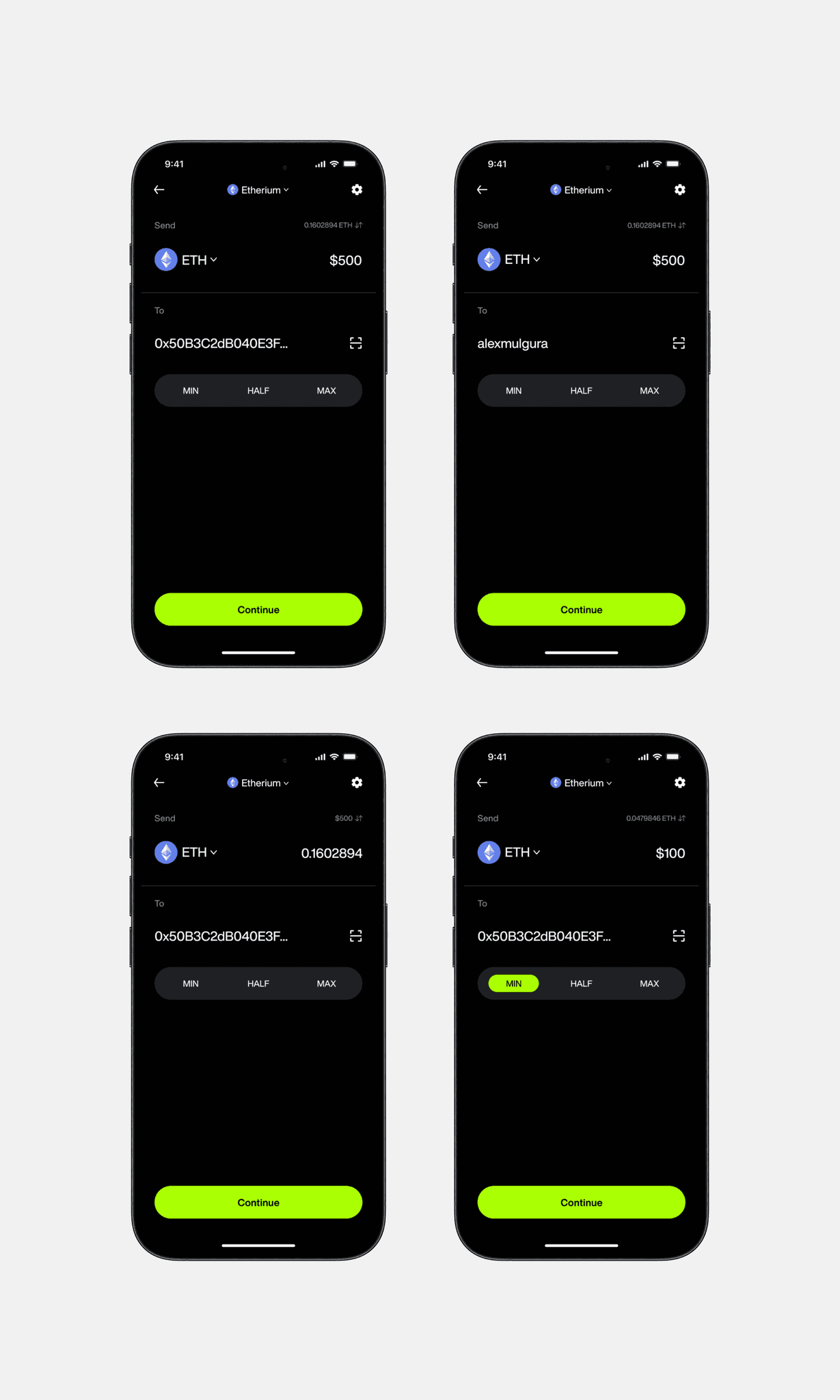
Examples of screens for transferring money and crypto
Receive:
Problem:
Users may have experienced inconvenience when receiving funds and creating payment requests, as the process was not entirely intuitive. In particular, currency selection and QR code generation were disjointed, which could lead to confusion and slowdowns.
Solution:
I redesigned the process into two clear sections: Receive and Request. This made the interaction simpler and more logical for users.
Users can instantly generate a QR code to receive funds in the selected cryptocurrency. This QR code can be immediately shown or sent to the sender, making the process of receiving funds quick and convenient.
Users first select the amount to transfer in dollars with the option to convert it into the number of coins to send. Once selected, a QR code is automatically generated, which can be shared with the sender. This solution combines currency selection and QR code generation into one convenient flow, which greatly simplifies the process of requesting a payment and makes it more understandable for the user.
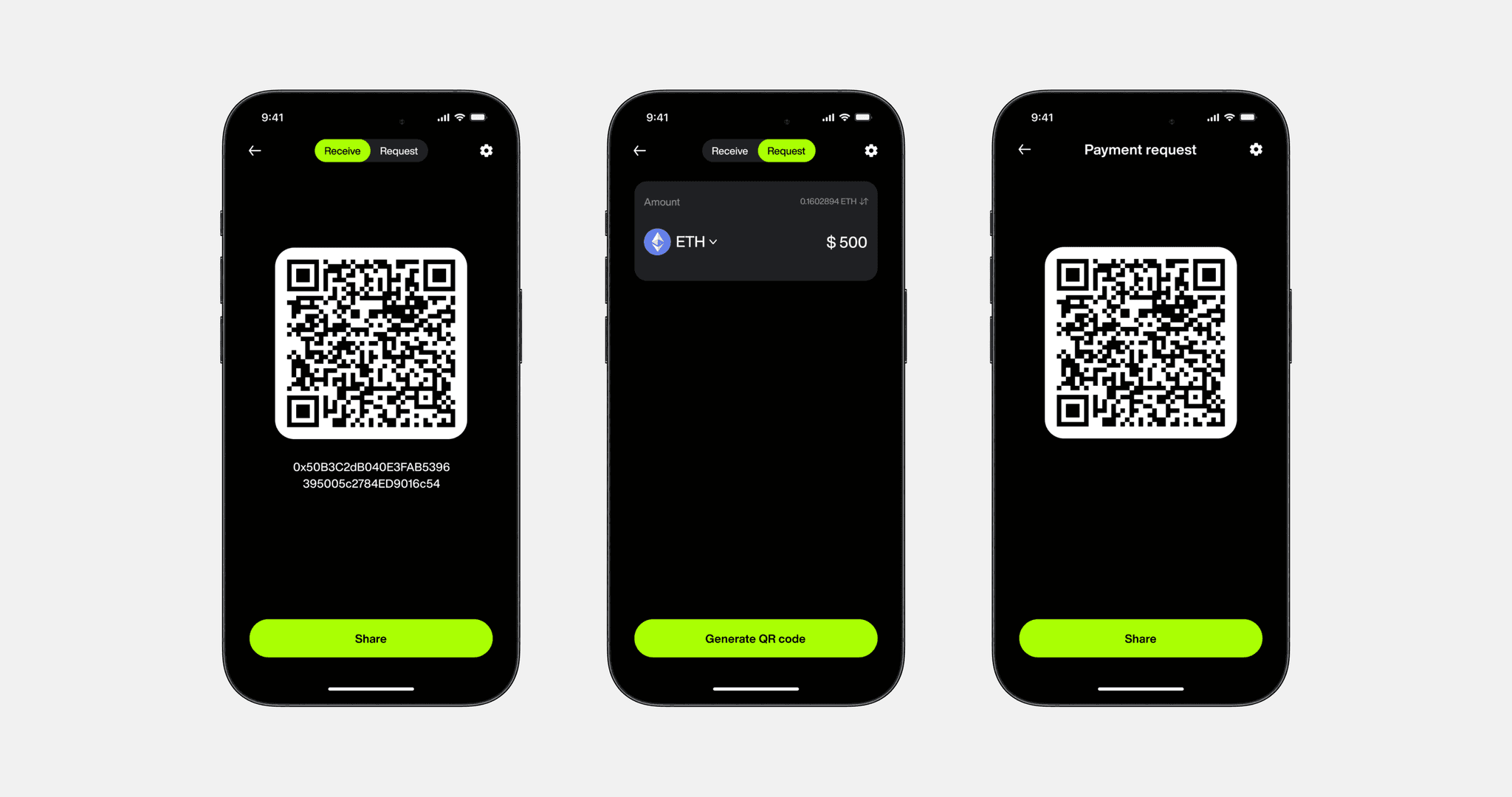
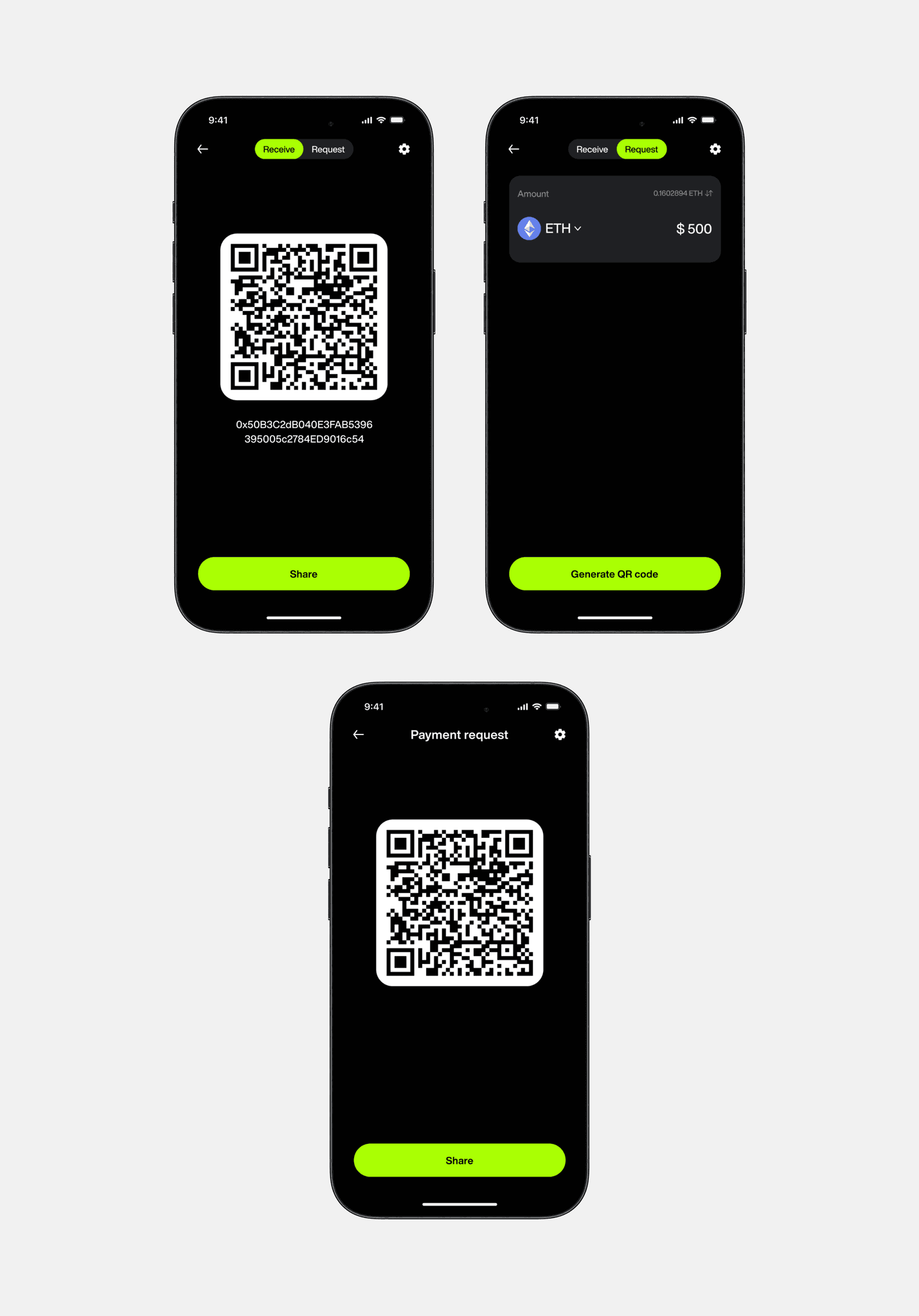
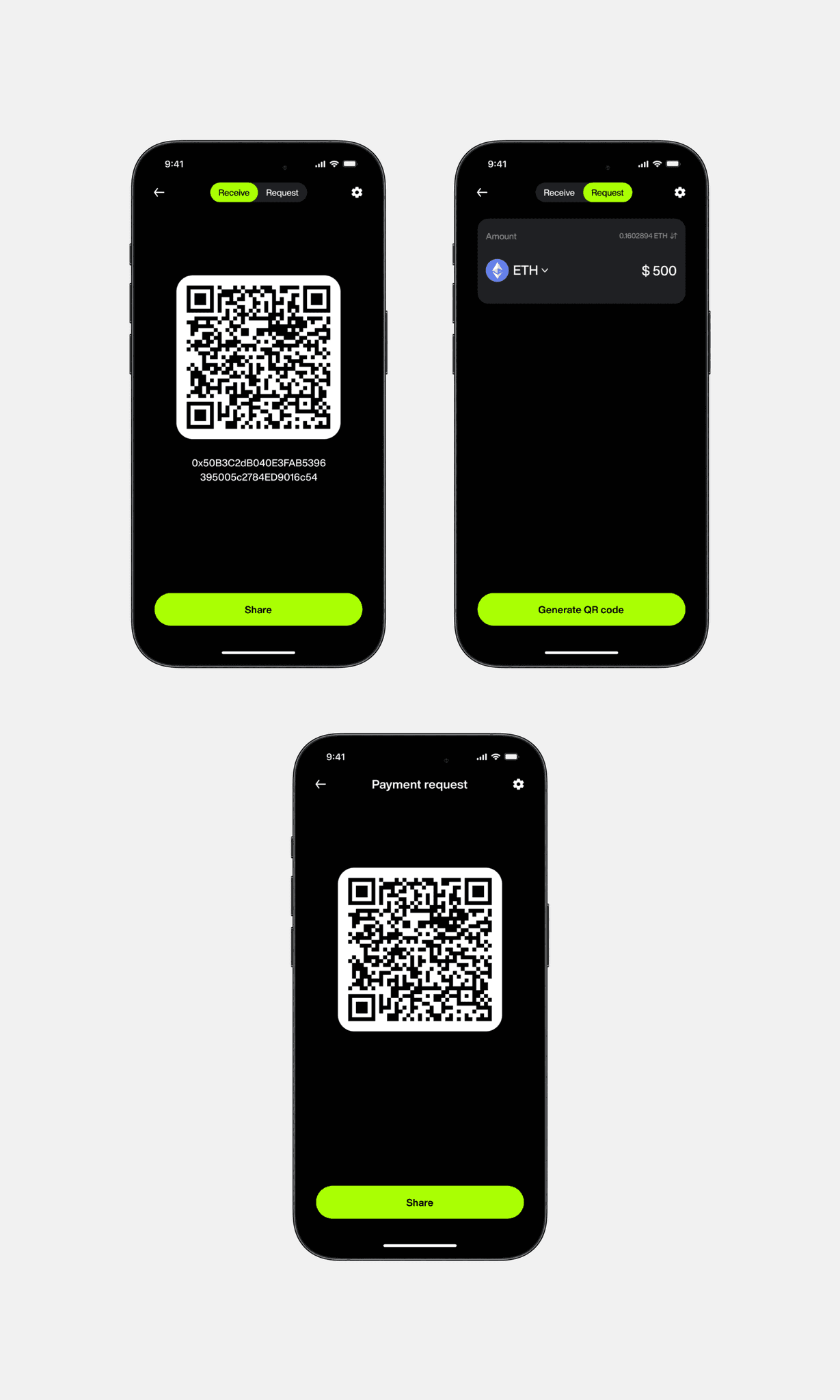
Receiving funds to your wallet
Buy/Sell:
Problem:
When buying and selling cryptocurrencies, users often experience difficulty switching between the buy and sell screens. In other wallets, this process can be slow and not always intuitive, making it difficult to complete transactions quickly.
Many users, especially newbies, have had difficulty buying cryptocurrency with fiat money. They had to use third-party exchanges or services, which complicated the process and caused inconveniences such as additional fees, delays, and the need to verify on multiple platforms.
Solution:
We have implemented the Fiat On-Ramp feature directly into our wallet, allowing users to buy cryptocurrency directly with bank cards or other fiat methods without leaving the app. This step has greatly simplified the purchasing process, making it faster and more convenient.
To improve the convenience and speed of operations, I have added the ability to instantly switch between screens. Users can now easily switch from buying to selling cryptocurrency and back, without delays and complex transitions. This approach provides a smoother and faster process, allowing users to quickly respond to market changes and effectively manage their assets.
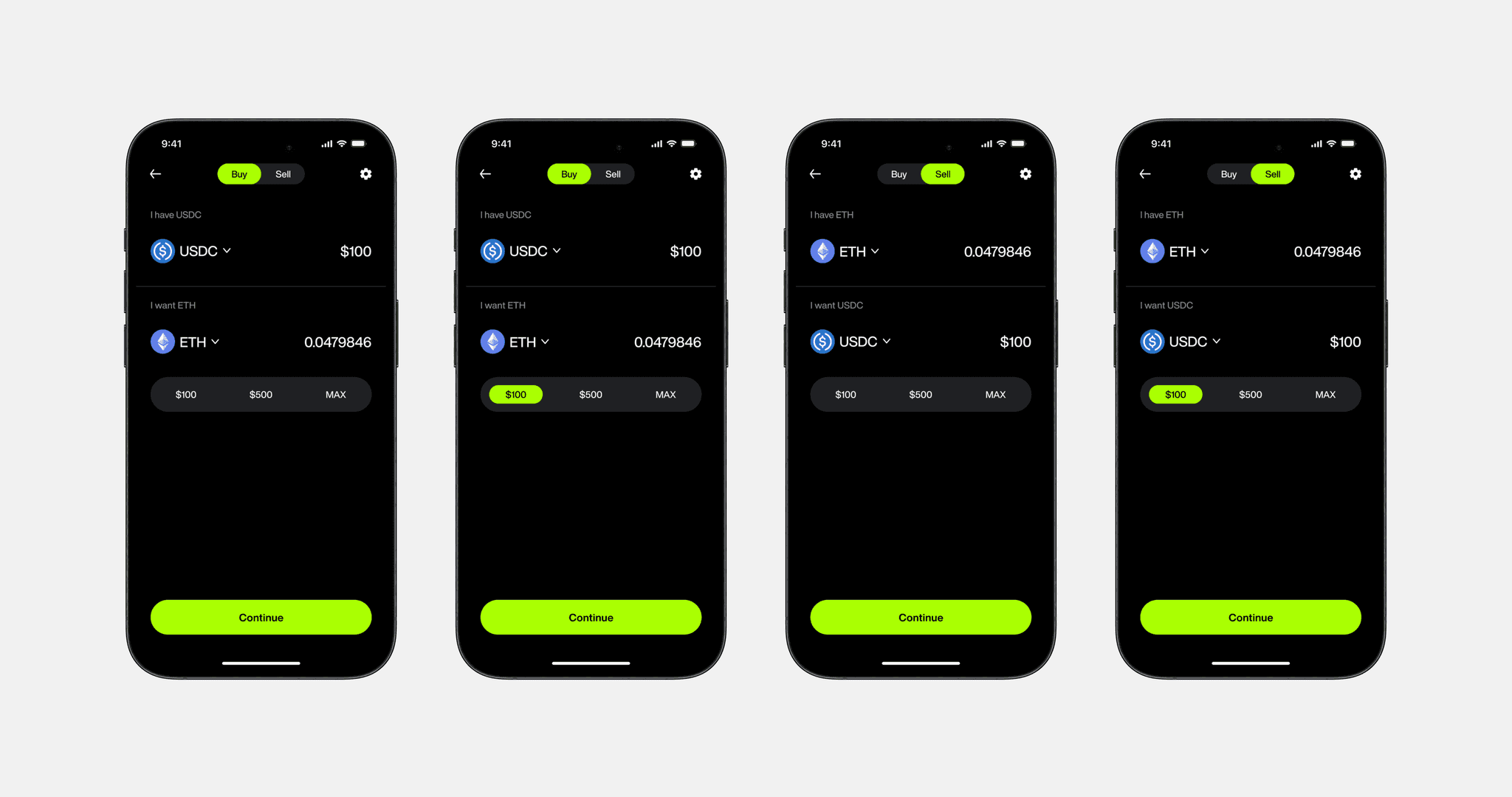
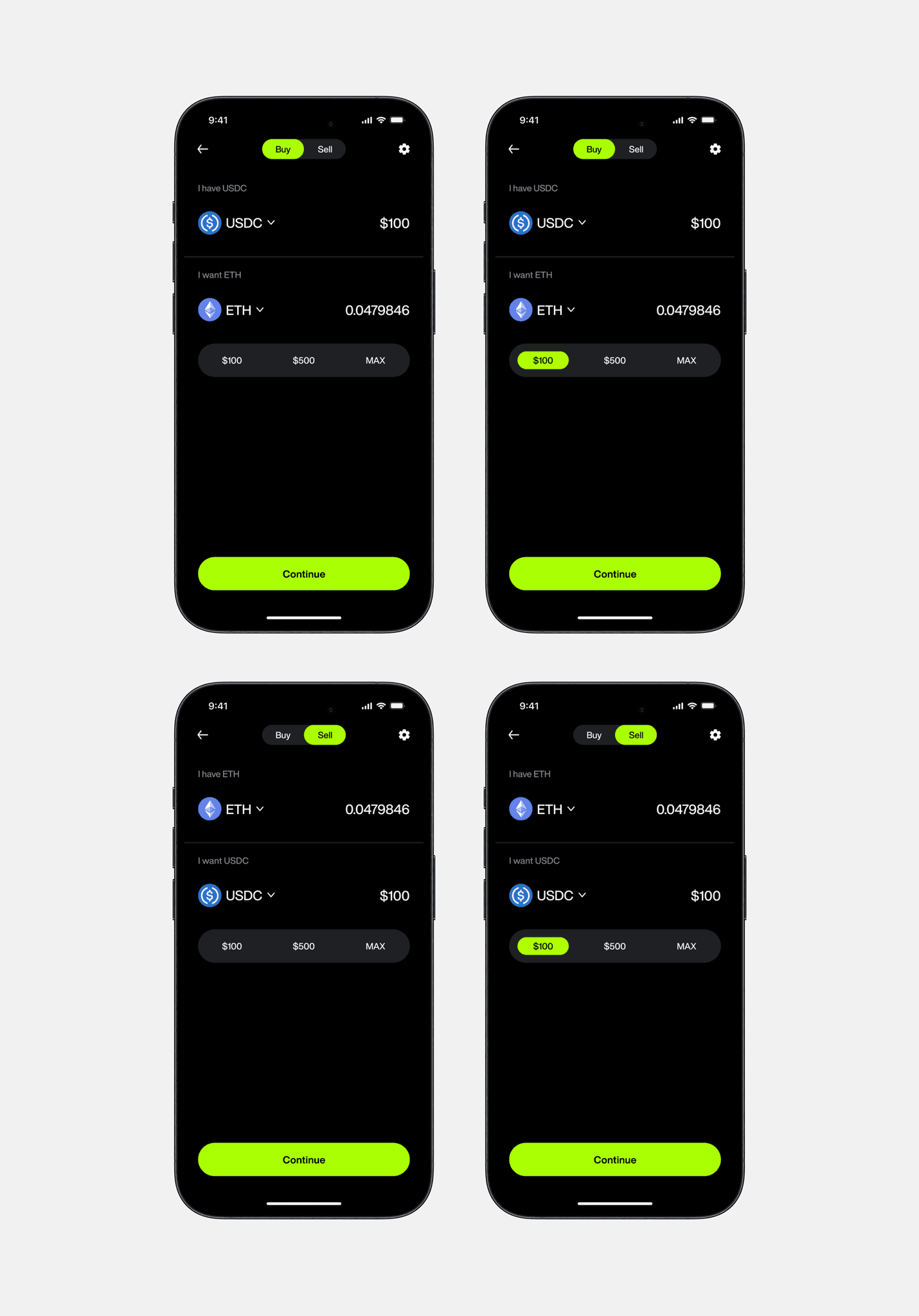
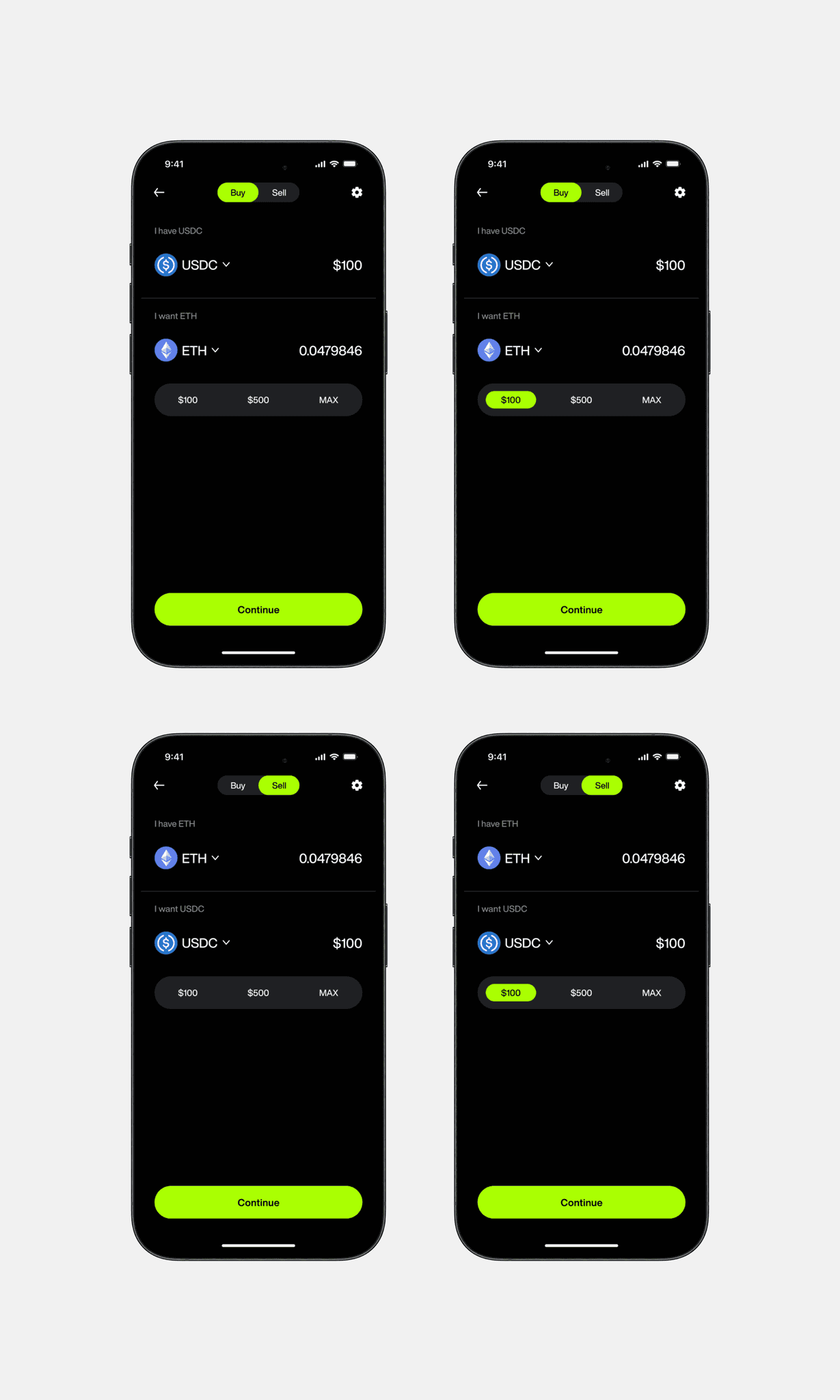
Buying and selling crypto
Wallet Customization and Management:
Problem:
Users faced challenges in managing multiple wallets and personalizing their experience due to limited customization options and fragmented settings.
Solution:
I introduced features that allow users to add and manage multiple wallet accounts within the app, customize wallet profiles with avatars and nicknames, and access a streamlined settings menu. This integration simplifies wallet management, enhances personalization, and provides a more organized and user-friendly experience.
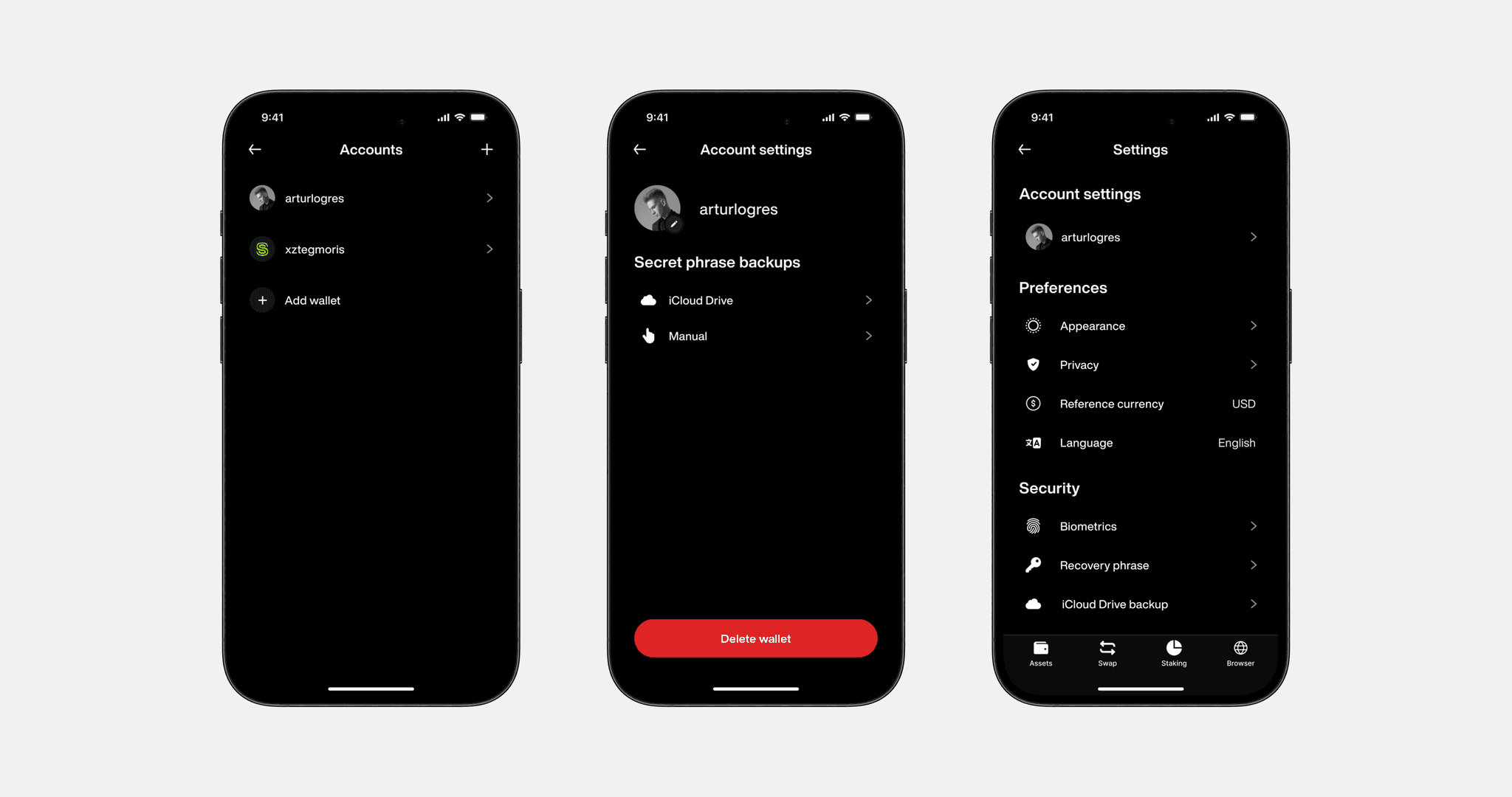
Wallet Customization and Management